UXOverflow
Mealkit
Overall UX Score
0/100
potential: 76
Good
Average
Concerning
Health Progress
58
First analysis — trend appears after next report
Verdict

The checkout flow has solid visual foundations but critical usability and accessibility gaps are blocking conversions. Users encounter silent failures at the most critical moments — form submission and payment.

Problem

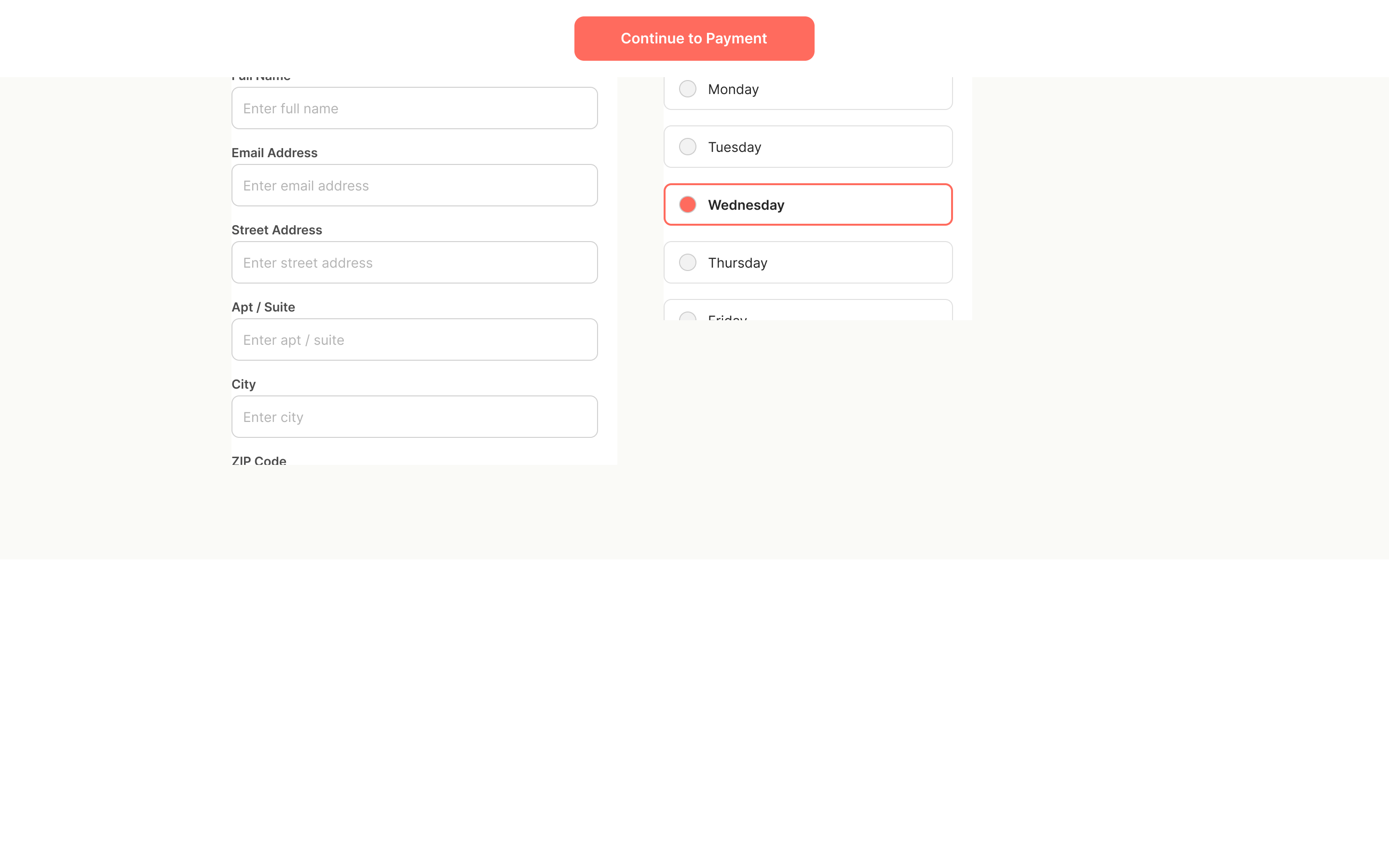
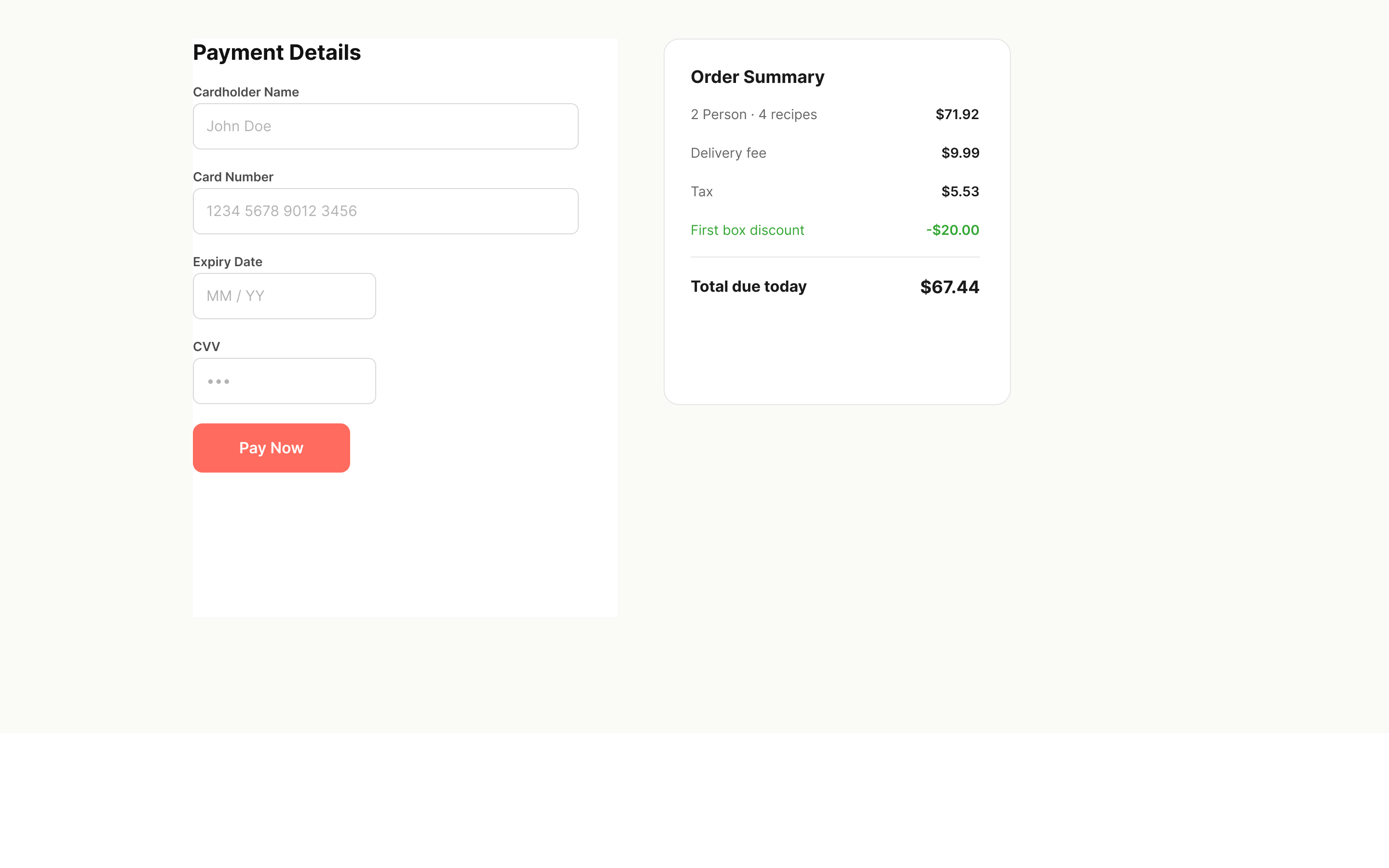
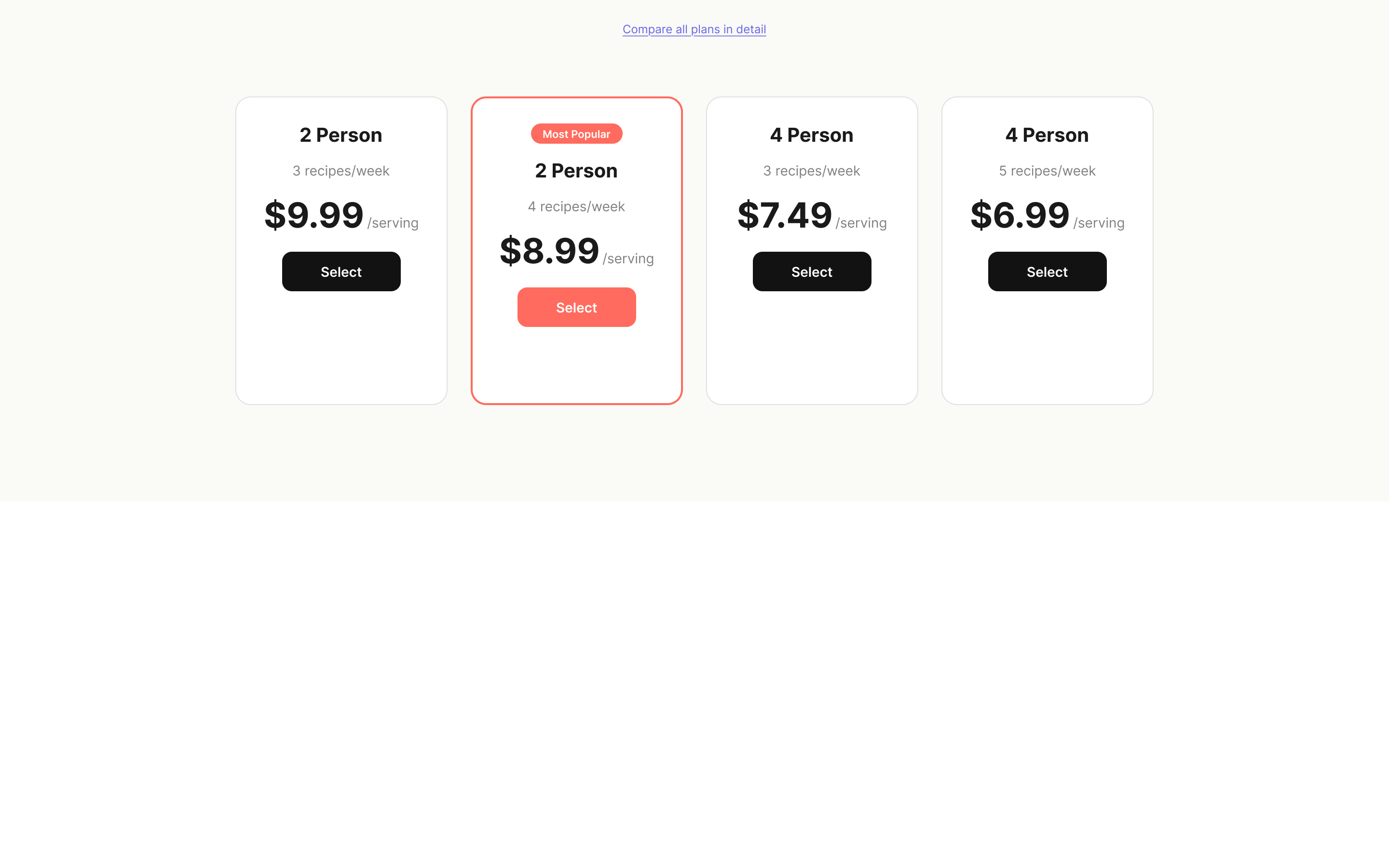
Form validation is silent, error states are missing, and the pricing breakdown is buried below the fold on the plan-selection step. Users abandon at the plan-selection and payment steps without understanding what went wrong.
WCAG 2.2 · 5 of 8 findings
Effort × Impact
High ImpactLow ImpactHigh EffortLow EffortDO FIRSTSTRATEGICQUICK POLISHDEPRIORITIZE
Click a finding to see its fix, predicted score gain, and the reasoning behind it
Action Plan
7 steps · +17.0 points possible
1
Missing inline form validationEngineering
+4.0
2
Price breakdown not visible before checkoutDesign
+4.0
3
No error recovery guidanceEngineering
+3.0
4
Inaccessible color contrast on CTA buttonsDesign
+2.0
5
Touch targets below 44px minimumDesign
+2.0
6
Inconsistent heading hierarchyEngineering
+1.0
7
Decorative images missing empty alt textEngineering
+1.0
Screen Breakdown
weakest first
Your goal screen is your weakest. Payment & Checkout (42) is where conversion happens — friction here costs the most. 32% of this flow's severity points sit on this screen.
Payment & Checkout
Plan Selection
Delivery Preferences
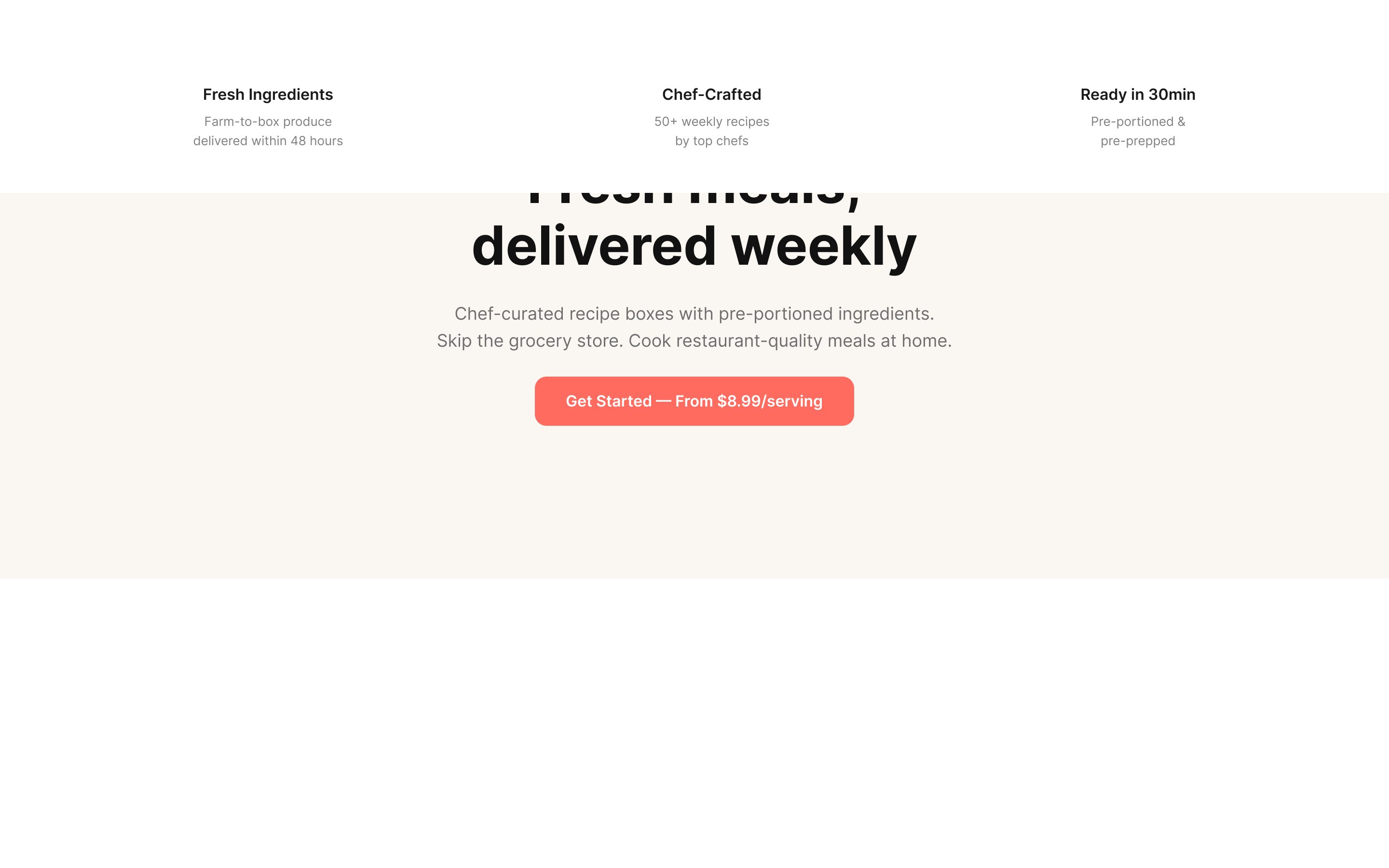
Landing Page
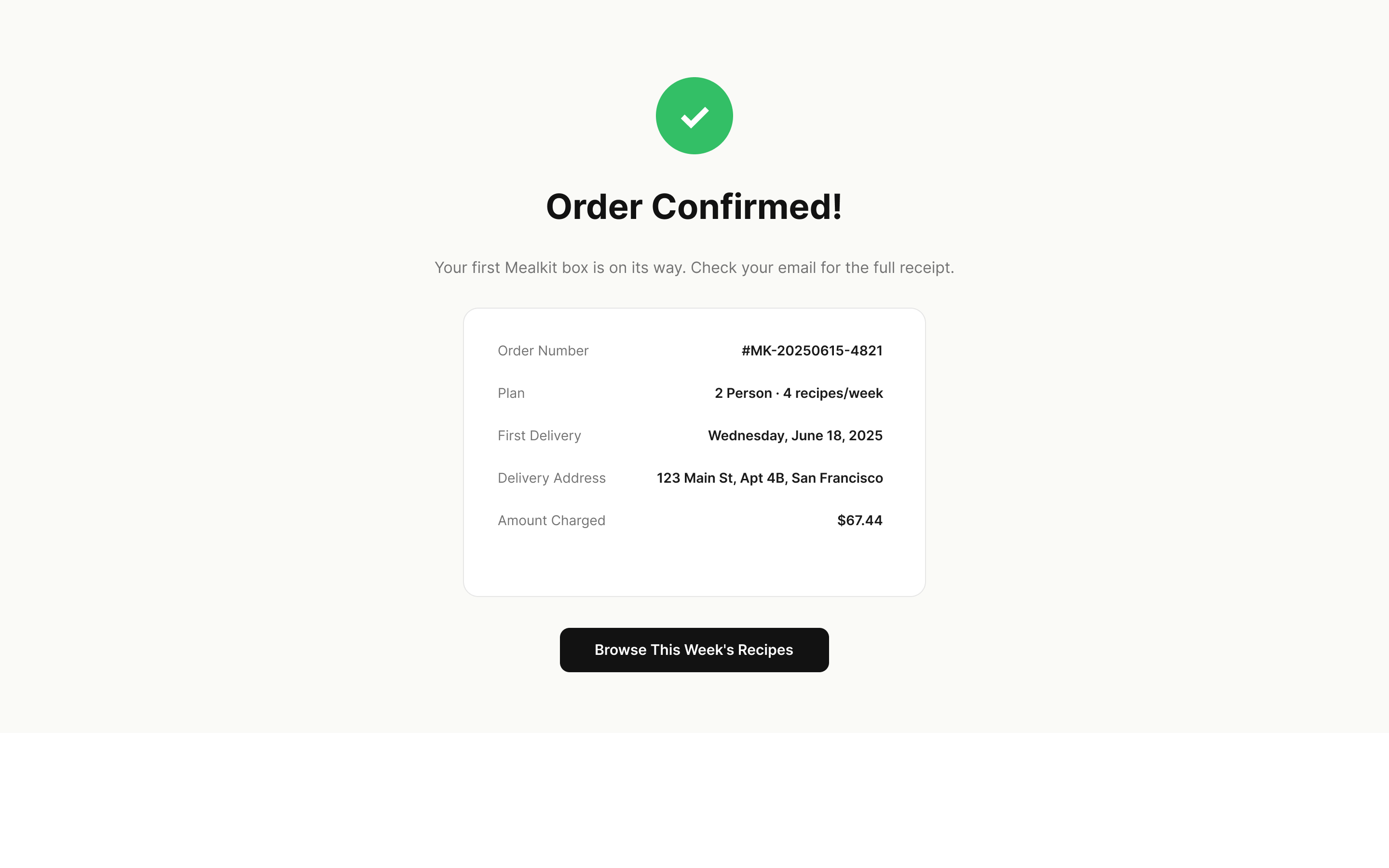
Order Confirmation
Needs work
Strong
UX Health Scorecard
Usability62
Weak
avg 70
+14.0 possible
Accessibility48
Critical
avg 62
+12.0 possible
Visual Design65
Solid
avg 68
No gains
Content Clarity55
Weak
avg 69
+8.0 possible
Performance58
Weak
avg 66
+3.0 possible
Industry Benchmark
Accessibility
14/22
Accessibility Score
14
Passed
6
Failed
2
N/A
4 high-risk WCAG failures — compliance exposure
WCAG 2.2 AA Checks
1. Non-text Content
Fail
2. Info and Relationships
Pass
3. Meaningful Sequence
Pass
4. Identify Input Purpose
Pass
5. Use of Color
Pass
6. Contrast (Minimum)
Fail
7. Resize Text
Pass
8. Non-text Contrast
Fail
9. Text Spacing
Pass
10. Keyboard
Pass
Critical findings
55%
Landing Page
4
Plan Selection
3
3
4
Delivery Preferences
1
1
4
Payment & Checkout
1
1
2
2
3
4
Order Confirmation
4
1
Revenue Blocker+4.0
Missing inline form validation

Form fields across the Delivery Preferences and Payment screens provide no real-time feedback. Users only discover errors after submitting, leading to frustration and abandonment at the highest-friction step.

2
Revenue Blocker+3.0
No error recovery guidance

When payment processing fails (e.g., declined card, network error), the page shows a generic "Something went wrong" message with no actionable next step. Users cannot distinguish between a temporary glitch and a permanent card issue.

3
Revenue Blocker+4.0
Price breakdown not visible before checkout

The total cost including delivery fee, tax, and first-box discount is only revealed at the final payment step. On the Plan Selection screen, users see per-serving prices but no order total — creating sticker shock at checkout.

4
Revenue Blocker+2.0
Inaccessible color contrast on CTA buttons

The primary call-to-action buttons across all screens use white text (#FFFFFF) on a coral background (#FF6B5E), producing a contrast ratio of 3.2:1 — failing the WCAG AA minimum of 4.5:1 for normal text.

UXOverflow
Generated by UXOverflow · June 15, 2025
34 observations distilled into 8 validated findings · 7 evidence rules applied
SampleThis is a demo report — analyze your own product